
A GPS collar can turn a frightening escape into a much shorter search, but only if you know how to use it under pressure. When your dog slips out of a door, jumps a fence or bolts on a walk, the first few minutes matter, and fumbling with an app you rarely open can cost time. This guide walks through a practical plan for using live tracking to find a lost dog, approaching them safely once you are close and what to do if the collar's signal drops or the battery runs low. It is general guidance; features and names vary between brands, so check your own collar's app and help pages, and practice before you ever need it.
Before it happens: practice once
The best time to learn live tracking is on a calm afternoon. Open the app, find the live or "find" mode and see how often it updates. Have a family member walk the dog around the block while you follow on the map. Note how the location dot moves, what the accuracy circle looks like and how quickly the battery drops in live mode. Make sure everyone who might need to search can log in; see GPS collar sharing and family accounts.
Step 1: Stay calm and switch on live tracking
As soon as you realize your dog is gone, open the app and turn on live tracking if your collar has it. Many collars update location only every few minutes in normal mode to save battery and switch to much more frequent updates in live mode. Check the time stamp on the last location so you know how fresh it is.
If your collar sent an escape alert, the first location may already show the general direction your dog went; see GPS collar geofences and escape alerts.
Step 2: Read the map carefully
GPS locations are estimates, not pinpoints. Most apps show an accuracy circle or similar indicator around the dot. A small circle usually means a good fix, while a large one means the dog could be anywhere inside it. Locations can drift near tall buildings, under thick tree cover and indoors, such as when a dog hides under a porch or in a garage; see why GPS collar locations drift.
Watch the pattern over several updates rather than chasing every jump. A dog moving steadily along a road looks very different from a dog that has stopped and is hiding.
Step 3: Organize the search
If others are home, split up roles quickly:
- One person watches the app and directs others by phone.
- One or two people search on foot toward the latest location.
- Someone stays home with the door open in case the dog comes back on their own.
Bring a leash, high-value treats, a phone with the app and, if it is dark, a flashlight. If your dog is heading toward a busy road, prioritize getting ahead of them safely, but do not run into traffic yourself.
Step 4: Approach a frightened dog safely
Even the friendliest dog may not come when called once they are frightened. Many trainers and rescue groups suggest that chasing a scared dog can push them to run farther. When you get close:
- Slow down and stop calling loudly.
- Crouch or sit sideways, avoiding direct eye contact.
- Speak softly, toss treats on the ground near you or crinkle a familiar treat bag.
- Let the dog come to you, then calmly clip on the leash.
- If they run, do not chase. Keep following on the app from a distance and try again when they settle.
If your dog is injured, approach even more carefully, since pain can make any dog bite. Contact your vet or an emergency clinic for advice.
If the signal drops or the location stops updating
GPS collars need both satellite signal to find their position and a cellular or other network connection to send it to your phone. Signal can drop in basements, dense woods, deep valleys or rural areas with poor coverage. If updates stop:
- Go to the last known location and search carefully nearby, including hiding spots.
- Check the app's connection status, which may show whether the collar is offline or the phone has lost signal.
- Move to higher ground or open areas, since your own phone also needs signal to receive updates.
- Wait for the next update as you search. The collar may reconnect when the dog moves.
Before trips to remote places, check coverage for your tracker; see checking cellular coverage for GPS trackers.
Managing battery during a search
Live tracking uses battery much faster than normal mode. If the battery is low, consider switching between live and standard modes to stretch it, and focus your search on the most recent fixes. Some collars have a lost-dog or power-saving mode designed for long searches. This is one reason to keep the collar charged daily; see GPS collar daily charge and sync habits.
If the collar comes off
Sometimes the collar slips off or breaks while the dog keeps going. If the location stops moving in an odd spot, such as the middle of a field or the edge of a fence, the collar may have come off. Go and check, but keep searching for your dog by other means:
- Call local shelters and animal control, and visit in person if you can.
- Make sure your dog's microchip registration is up to date with your current phone number.
- Post on local lost-pet groups and neighborhood apps with a clear, recent photo.
- Put up flyers near where your dog was last seen.
- Leave familiar items outside, such as a bed or worn clothing.
ID tags and a registered microchip are important backups to GPS; see microchips, ID tags and GPS trackers. If the collar itself is lost, see the replacing a lost GPS collar checklist.
After your dog is home
Check your dog for injuries, ticks and burrs, offer water and let them rest. Contact your vet if anything seems wrong. Then look at how the escape happened, whether it was a gap in a fence, a door left open or a startle on a walk, and fix it. Review your geofence and alert settings and update anything that did not work as expected.
Bottom line
Practice live tracking before you need it. If your dog gets out, switch on live mode, read the accuracy circle, split up roles, approach quietly instead of chasing and keep searching by other means if the signal drops or the collar comes off. Up-to-date ID and microchip details are your backup.
A GPS tracker that fits this guide
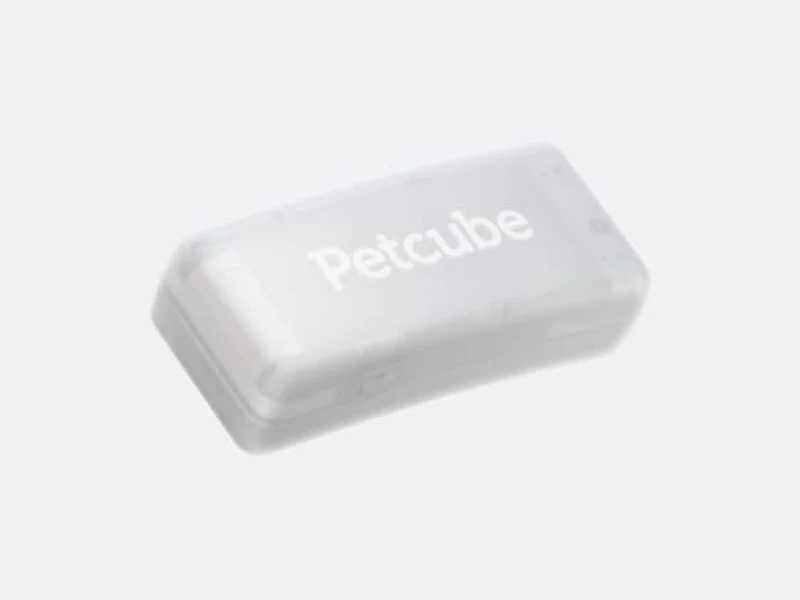
Petcube’s clip-on LTE-M tracker has live location, safe and no-go zones with escape alerts, and activity tracking, per Petcube’s product page. We haven’t tested it. See every GPS collar we list on the GPS collars page.
Affiliate links: Petcube links go through the Awin network, and we may earn a commission if you buy, at no extra cost to you. It doesn’t change the facts we show. Prices from petcube.com as of Oct 17, 2026. How we make money
About this guide
Our guides explain how to read labels, plans and specs so you can make your own choice with your vet. We don’t make health claims, we haven’t hands-on tested products, and we don’t publish invented statistics or ratings. Product facts come from official brand pages. How we work.
Product images are illustrative stock photos, not the exact products listed, except Petcube cameras, which show Petcube’s own product photos. Photo credits