
Bringing home an adopted dog is exciting, and it can also be a time of uncertainty. A rescue dog may arrive with an unknown history, new fears or habits you have not seen yet, and the first weeks in a new home can be overwhelming for them. A pet camera gives you a window into how your new dog copes when you are in another room or out of the house. Used thoughtfully, it can help you plan alone time, spot stress early and give your trainer or vet useful information. This guide covers how to use a pet camera during those early weeks. It is general guidance; your shelter, rescue, vet or a qualified trainer can advise on your dog's specific needs.
Give your new dog time to settle
Many shelters and rescues talk about a decompression period, the first days and weeks when a dog adjusts to a new home, routine and people. During this time, dogs may sleep a lot, hide, seem shy or act differently than they did at the shelter. A camera does not change any of that, but it lets you observe how your dog behaves when no one is hovering nearby, which can look quite different from how they behave when you are in the room.
Set up a safe space first
Before you rely on a camera, set up a quiet, safe area for your dog, such as a crate if they are comfortable in one, a gated room or a corner with a bed and water. Then place the camera so it covers that space:
- Aim the camera at the dog's resting area, water bowl and the door or gate, so you can see where they spend time and whether they pace at exits.
- Keep cords and mounts out of reach, since a nervous dog may chew; see pet camera cord safety and mounting.
- Check the view at different times of day, and use night vision settings if the room is dark; see pet camera night vision and placement.
- Remove hazards from the safe space, such as loose cables, small objects and anything the dog could get tangled in.
If you plan to crate your dog, introduce the crate gradually; see using a pet camera for crate training.
What to watch for
In the early weeks, a camera can help you see patterns. Things worth noticing include:
- How long it takes your dog to settle after you leave
- Pacing, whining, barking or howling, and when it starts and stops
- Scratching or chewing at doors, gates or crates
- Drooling, panting or trembling when the room is cool and calm
- Accidents indoors shortly after you leave
- Rest and sleep, which are good signs that your dog feels safe
A short period of mild restlessness is common. Behavior that escalates, lasts most of your absence or involves trying to escape may be a sign of significant stress or separation-related problems, which deserve professional help.
Build alone time gradually
Many trainers suggest building up time alone in small steps rather than leaving a new dog for a full workday on day one. A camera makes those steps easier to judge:
- Start with very short absences, such as stepping outside for a few minutes.
- Watch the camera and come back while your dog is still calm, if you can.
- Gradually lengthen the time over days or weeks, based on what you see.
- If your dog becomes distressed, go back to shorter absences and consider asking a trainer for a plan.
If you work long days, consider a dog walker or sitter during the adjustment period; see pet cameras, dog walkers and sitters.
Hold off on treat tossers and talking at first
Treat-tossing and two-way audio features can be fun, but with a brand new dog they can also confuse or startle. Hearing your voice from a device while you are nowhere to be seen may make some dogs search for you or become more unsettled. A sudden treat launch may spook a shy dog. Many owners wait until their dog is settled before trying these features, then introduce them gently while home, at a low volume. See pet camera two-way talk habits and pet camera treat tossers and audio etiquette.
Adjusting motion and bark alerts
A new dog may trigger lots of alerts as they explore, or none at all if they spend hours asleep. Start with fewer alerts so you are not checking your phone constantly, and adjust sensitivity once you know your dog's normal patterns. See tuning pet camera motion and bark alerts.
Privacy and household habits
Cameras in your home capture more than your dog. Let household members and guests know where cameras are, use privacy modes when you are home and choose secure storage settings. See pet camera privacy and security and pet camera privacy zones and guests.
Other tech for the first weeks
New dogs are more likely to slip out of doors and gates while they are still learning your home. A GPS collar and up-to-date ID tags add an extra layer of safety; see using a GPS collar with a newly adopted dog. For an overview of home tech, see leaving your dog home alone tech.
When to get help
Talk to your vet or a qualified trainer or behavior professional if your dog shows intense distress when alone, injures themselves trying to escape, stops eating or shows sudden changes in behavior. A camera can show you the problem, but it cannot fix it, and early help usually makes things easier for everyone.
Bottom line
A pet camera can make the first weeks with an adopted dog less stressful by showing you how your dog settles when you are away. Set up a safe space, watch for stress signs, build alone time slowly, wait on treat tossers and two-way talk, share clips with professionals and ask for help early if your dog struggles.
Pet cameras that fit this guide
Two Petcube cameras whose published features match what this guide covers. Facts come from Petcube’s product pages; we haven’t tested them. See every camera we list on the pet cameras comparison.
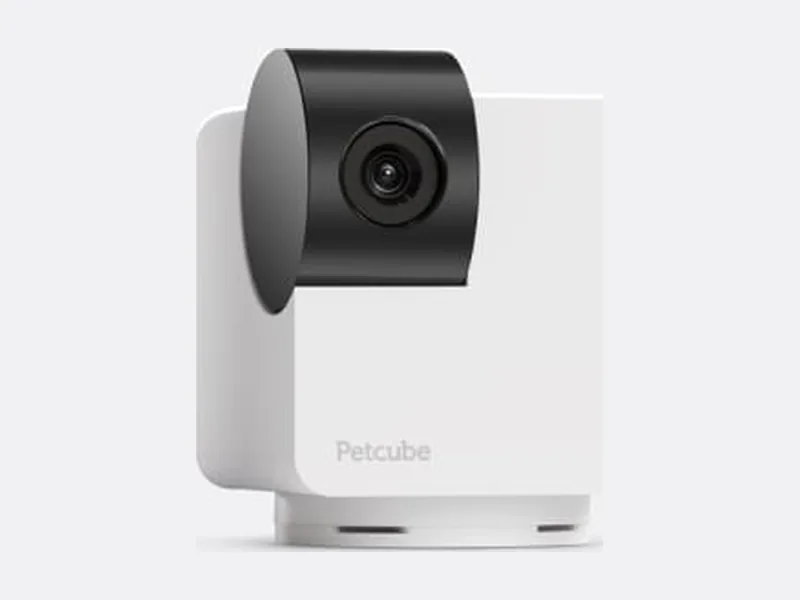

Affiliate links: Petcube links go through the Awin network, and we may earn a commission if you buy, at no extra cost to you. It doesn’t change the facts we show. Prices from petcube.com as of Oct 15, 2026. How we make money
About this guide
Our guides explain how to read labels, plans and specs so you can make your own choice with your vet. We don’t make health claims, we haven’t hands-on tested products, and we don’t publish invented statistics or ratings. Product facts come from official brand pages. How we work.
Product images are illustrative stock photos, not the exact products listed, except Petcube cameras, which show Petcube’s own product photos. Photo credits